
Construction Signs Printing Software: A Shop Guide
 Jack KellyCo-Founder, Vuely
Learn how to choose construction signs printing software to manage multi-substrate estimating, RIP production, and OSHA compliance.
On this page
When you search for construction signs printing software, you are actually looking for three different tools: estimating software to price materials, RIP software to drive your printers, and compliance libraries for safety codes. Commercial sign shops need this exact software mix to handle multi-substrate job-site packages profitably.
Relying on a single tool for a massive construction package often results in margin leaks, unbilled scrap, and rejected proofs. The production floor requires tools to drive hardware, manage ink profiles, and align cut paths. Meanwhile, the front office needs platforms to calculate yields, track material costs, and generate accurate quotes.
Finding the right system means understanding exactly where your workflow breaks down. If your team struggles to quote jobs profitably, you need a different solution than a shop struggling to hit accurate brand colors on a flatbed printer. This guide breaks down the software components required to price, design, and manufacture construction signage packages.
Breaking Down Construction Signs Printing Software
Shops producing exterior construction signage require distinct software layers. You cannot run a flatbed UV printer with a generic estimating tool, and you cannot quote a massive job site accurately using only RIP software.
- RIP and production software: Programs like SAi Flexi, Caldera, or Onyx translate your vector files into instructions for wide-format printers and cutters. They handle hardware drivers and basic safety icon libraries. Subscriptions range from $50 to $150 per month, while perpetual licenses cost $1,000 to $2,500 or more.
- Estimating and MIS software: Platforms built for sign business software calculate material costs, labor, and overhead. These programs group mixed substrates into single job tickets and typically cost $100 to $500 or more per month based on user seats.
- Sales and survey software: Tools used on the job site to capture photos, measure existing structures, and confirm local regulations before design work begins.
Knowing which software category solves your immediate problem prevents you from buying a costly enterprise system when you only need a better way to nest cut files.
Pricing Multi-Substrate Site Packages
General contractor jobs are rarely simple. A single order might include twenty temporary directional signs, two large project boards, and 300 linear feet of fence mesh. Quoting these together requires software that understands varying production methods.
- 4mm fluted polypropylene: Often referred to as Coroplast, this lightweight board is standard for temporary directional notices and hazard warnings.
- Aluminum Composite Material (ACM): Typically 3mm or 4mm thick, ACM provides high durability for long-term construction projects and perimeter fencing markers.
- Medium Density Overlay (MDO): Standard 1/2 inch MDO plywood is the traditional choice for massive 4x8 or 8x16 general contractor project boards.
- PVC mesh banner: Typically 8-ounce or 9-ounce perforated material, used for branding long stretches of temporary chain-link perimeter fences.
Estimating software must account for flatbed printing on rigid sheets versus roll-to-roll printing for mesh banners. If your software treats all substrates identically, your pricing will be wrong. Roll media is priced by the linear or square foot, factoring in ink coverage and finishing labor like hemming and grommeting.
Rigid materials require a different calculation. Estimating signs purely by the square foot without a sheet-nesting algorithm routinely results in 15% to 30% unbilled substrate scrap. Odd-sized cuts on standard sheets of Aluminum Composite Material or MDO leave offcuts that you cannot easily reuse. Your sign estimating software must price the entire sheet required for the layout, not just the finished square footage of the sign.
Designing for OSHA and MUTCD Compliance
Safety signage requires strict adherence to federal and local regulations. A standard design tool like Illustrator will not warn you if your safety headers are the wrong proportion.
Construction accident prevention signs must follow OSHA 29 CFR 1926.200 requirements for Danger, Caution, Exit, and Directional notices. Additionally, ANSI Z535 dictates the exact layout of signal words, colors, and safety headers. Good production software for sign makers includes vector libraries with compliant symbols and templates, preventing your design team from drawing these from scratch.
Public right-of-way construction zones require compliance with the Manual on Uniform Traffic Control Devices (MUTCD). Software used for these jobs must account for specific retroreflective vinyl grades. Estimators must select materials ranging from standard Engineer Grade up to High Intensity Prismatic or Diamond Grade depending on the speed limit of the adjacent road.
Your estimating software needs updated material costs for these specialized reflective films to maintain your profit margins. High-grade reflective vinyl is significantly more expensive than standard calendared film, and guessing at the cost will result in an unprofitable job.
Managing Direct-to-Substrate Workflows
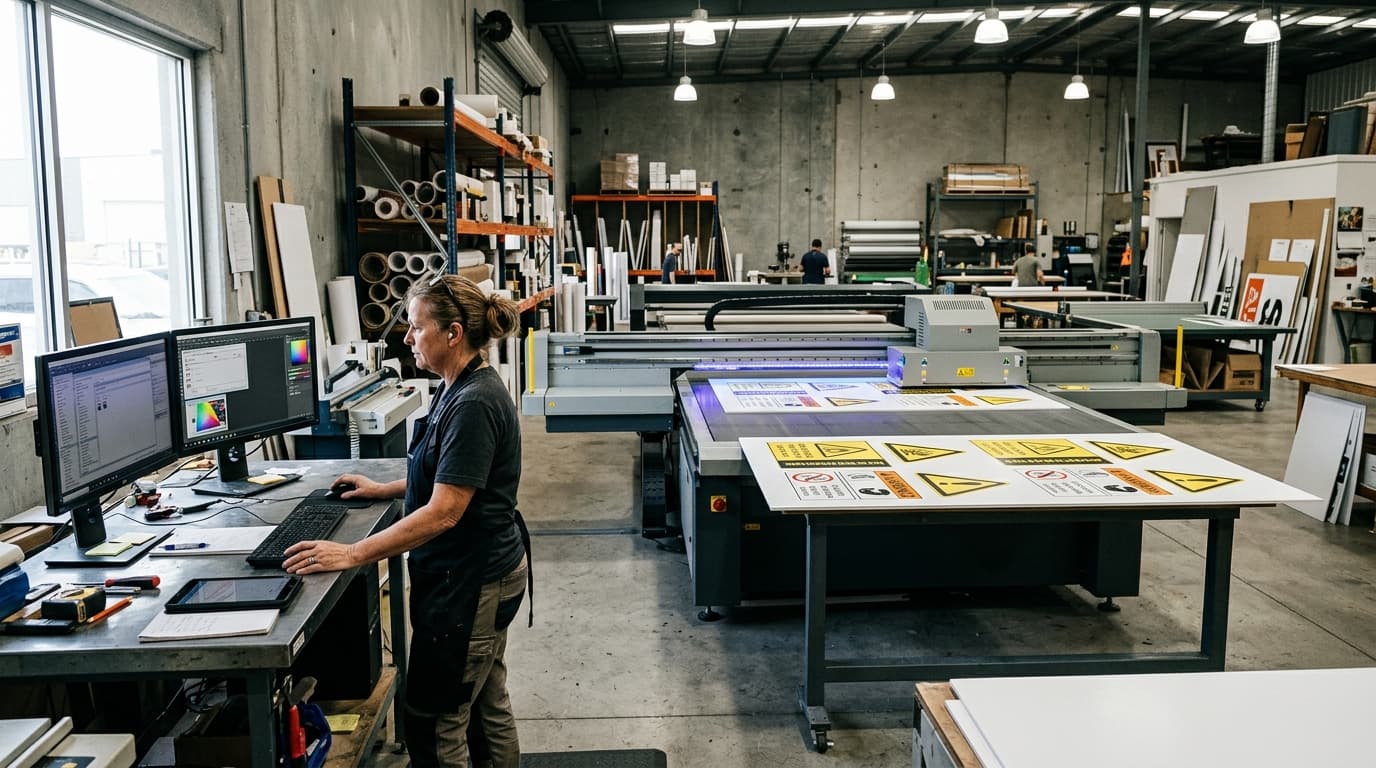
Many commercial sign shops print construction boards directly onto the substrate using flatbed UV printers. This workflow requires specific RIP software capabilities to manage ink adhesion, white ink layers, and cutting paths.
- File preparation: Operators must set up overprint settings and define specific spot colors that the RIP software recognizes as cut contours.
- White ink management: The RIP software dictates whether white ink prints as an underbase to make colors pop on dark materials or as a spot color for specific design elements.
- Registration generation: Software adds optical marks around the printed artwork so the CNC router camera can orient the cut path accurately.
- Nesting optimization: The production software visually arranges different sign files on the same digital artboard to maximize the printable area of a rigid sheet.
When printing on colored ACM or raw MDO plywood, your software must generate a white ink underbase layer so the colors appear correctly. After printing, the boards move to a CNC router. Your production software must generate accurate registration marks and cut files. If the software cannot match the printed registration marks with the digital cut path, the router will ruin expensive sheets of material.
Gathering Site Data Before Production
A successful construction sign package starts long before a file hits the RIP software. Managing site surveys efficiently prevents installation failures. Project managers must verify the physical dimensions of temporary fencing, confirm the ground conditions for post-and-panel setups, and check visibility angles for road traffic.
Capturing bad measurements or ignoring city regulations at this stage guarantees rework later. This is where front-end sales software like Vuely fits into the workflow. A sales rep visits the site, takes photos, logs measurements, and runs a sign code checker to verify local municipal rules. This ensures the proposed project boards or permanent fixtures do not violate local size or setback limits. Codes vary by jurisdiction, so running this check early is critical.
Vuely generates photo-accurate AI mockups directly on the customer's building, calculates an estimated price, and allows the client to sign off on the spot. By finalizing the pricing and visuals before the job hits the production floor, your team avoids wasting time on designs that the client or the city will reject. Note that this type of tool handles sales, estimating, and mockups; it is not RIP software and does not drive your shop's printers.
Sign codes change and vary by zoning district and overlay. Confirm with the authority having jurisdiction before submitting a permit.
Frequently Asked Questions
Does sign software include compliant OSHA 1926 and ANSI Z535 safety templates?
Many dedicated sign RIP and production programs include built-in vector libraries for OSHA and ANSI compliance. General design software like Illustrator does not have these built in, requiring you to purchase or build your own compliant safety header and icon libraries.
What is the difference between RIP software and sign estimating software?
RIP software translates vector files into commands for your wide-format printers and plotters, managing ink layers and cut paths. Sign estimating software handles business operations, calculating the cost of materials, labor, and scrap to generate quotes and manage job tickets.
How do estimators calculate scrap on rigid construction boards?
Standard square-foot pricing ignores waste. Estimators use nesting algorithms within their software to lay out the required signs on standard rigid sheets. This method charges the customer for the exact number of full sheets needed, preventing the shop from absorbing 15% to 30% in offcut waste.
Which software handles direct-to-substrate UV printing workflows?
Commercial wide-format RIP programs like Caldera, Onyx, and SAi Flexi manage direct-to-substrate workflows. They generate the necessary white ink underbase channels for raw materials like MDO and output precise cut files with registration marks for CNC routers.
How do sign shops manage multi-sign construction site packages?
Project managers use dedicated MIS software to group different sign types into a single order. This allows them to quote yard signs, site boards, and PVC mesh banners together, tracking each item through proof approval, printing, and installation as one connected project.
See Vuely on your own storefront
Site surveys, instant mockups, and ready-to-sign proposals in minutes.