

On this page
A digital sign is an electronically controlled display screen used to present dynamic text, graphics, video, or real-time data to viewers. In commercial sign shops, digital signage splits into two distinct categories: indoor commercial LCD panels and outdoor LED electronic message centers.
Selling digital signage yields higher contract values than static sign cabinets, but it introduces technical liabilities. When estimators miss electrical loads, line-of-sight obstructions, or municipal brightness caps, job profitability disappears quickly.
This guide covers how to survey sites, specify hardware, verify local sign regulations, and build accurate estimates for digital signage projects.
Commercial Displays vs. Outdoor Message Centers
Every digital sign project starts by identifying whether the environment demands an indoor commercial panel or an outdoor LED cabinet. These two categories use completely different hardware components, mounting systems, and power structures.
Indoor Commercial Displays
Indoor digital signage relies on commercial flat panels designed for extended duty cycles. Unlike retail consumer televisions rated for 6 to 8 hours of daily use, commercial displays feature heat sinks, reinforced power boards, and anti-glare glass treated for 16-hour or 24-hour daily operation.
- Brightness: Indoor panels run between 350 and 700 nits. Window-facing indoor screens require 1,500 to 2,500 nits to remain readable against direct sun exposure.
- Hardware Costs: A commercial 55-inch display generally costs $1,000 to $2,500, compared to $300 to $600 for a consumer TV.
- Media Players: External industrial mini-PCs range from $150 to $600, while basic playback sticks cost $40 to $100.
- Duty Ratings: Commercial screens offer commercial manufacturer warranties that cover continuous operation, whereas consumer units void their warranties in commercial settings.
Outdoor Electronic Message Centers
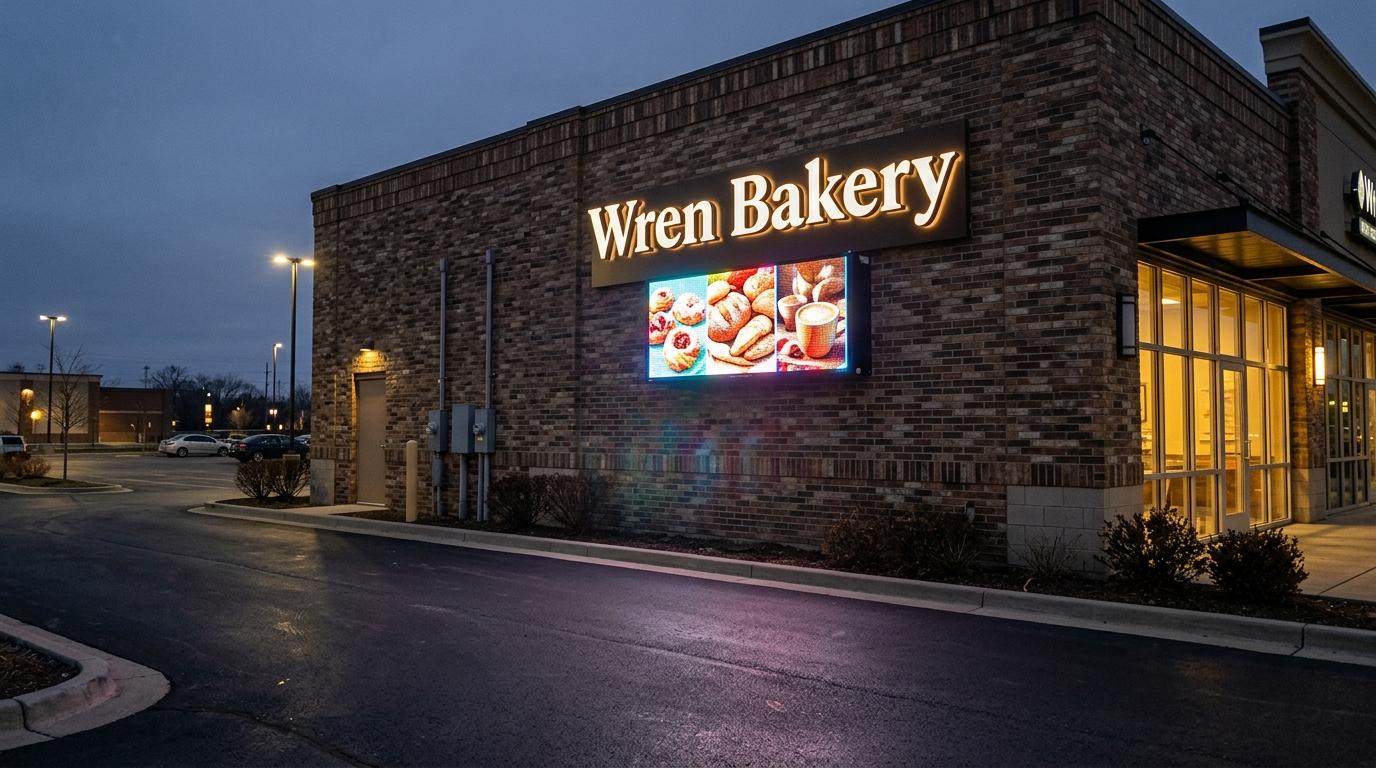
An outdoor electronic message center consists of modular LED tiles enclosed in a weatherproof cabinet. These units endure rain, snow, direct sun, and wide temperature swings.
- Daylight Brightness: Outdoor cabinets produce 5,000 to 8,000+ nits to punch through direct sunlight. At night, integrated photocells dim them down to 300 to 500 nits.
- Cabinet Engineering: Outdoor modules carry IP65 or IP67 ratings to block moisture and airborne dust.
- Service Access: Cabinets are built with either front-service access for wall mounts or rear-service access for pylon applications.
Site Survey Essentials for a Digital Sign
Missing a structural or electrical detail during the site survey creates costly delays. A proper survey must capture five technical requirements before an estimator can finalize the bid.
- Available Electrical Capacity: Check the breaker panel directly. Outdoor cabinets require dedicated circuits, commonly 120V or 240V at 20A to 50A depending on cabinet size and square footage.
- Data Transmission Route: Determine how media reaches the screen. Hardwired Cat6 conduit is best. Cellular modems require monthly SIM plans. Avoid relying on the client's internal guest Wi-Fi network due to signal drops and firewalls.
- Mounting Structure: Inspect existing poles, monument footings, or wall framing. Digital cabinets are substantially heavier than static aluminum cabinets and require verified load-bearing capacity.
- Line of Sight and Sightlines: Check for tree canopies, utility poles, and future road realignments that could block viewing angles.
- Service Clearance: Verify that technicians can open service doors or access lift equipment without blocking high-speed traffic lanes or entering neighboring properties.
Using a standardized signage site survey checklist prevents estimators from having to send a bucket truck back to the job site to re-measure a junction box or verify breaker amperage.
Matching Pixel Pitch to Traffic Speed
Pixel pitch is the distance in millimeters between the centers of two adjacent LED diodes. A smaller pixel pitch produces higher resolution at higher cost, while a larger pixel pitch reduces resolution and hardware expense.
Choosing the correct pitch requires balancing distance against speed. Selling a customer a tighter pitch than they need inflates costs without improving visibility. Selling too loose a pitch creates visible diode spacing that makes text unreadable.
- Pedestrian and Close-Range Viewing: 1.5mm to 3mm pitch works best for indoor lobbies, concourses, and shopping malls where viewers stand within 5 to 15 feet.
- Low-Speed Surface Streets: 6mm to 8mm pitch fits storefront monument signs along roads with 25 to 35 mph speed limits and viewing distances between 20 and 60 feet.
- High-Speed Thoroughfares: 10mm to 16mm pitch serves pylon signs along multi-lane roads where vehicles travel at 45 to 65 mph and read the sign from 100 to 500 feet away.
The standard rule of thumb for readable legibility is roughly one millimeter of pixel pitch for every meter (3.28 feet) of minimum viewing distance. For highway signage viewed beyond 150 feet, paying extra for tight 6mm hardware wastes the customer's budget.
Municipal Sign Codes and Brightness Rules
Outdoor digital signs face strict zoning scrutiny. Planning commissions inspect digital applications closely to protect road safety and prevent light pollution in surrounding residential zones.
Review the local sign ordinance before writing a proposal. Sign shops face four standard regulatory limitations on electronic message centers:
- Nighttime Brightness Caps: Most municipalities cap nighttime brightness at 0.3 foot-candles above ambient background light, measured from a set distance based on sign area. Hardware must feature photocell-driven automatic dimming controls.
- Hold Time and Dwell Time: Cities regulate how long an individual graphic or slide must remain static before transitioning. Mandatory hold times usually range from 4 seconds to 60 seconds per slide.
- Animation and Motion Restrictions: Many jurisdictions ban video, scrolling text, flashing borders, and dissolving transitions to minimize driver distraction. Instantaneous slide changes are commonly required.
- Zoning and Setbacks: Digital signs are often prohibited in historical preservation districts and residential transition zones, or they require larger property line setbacks than static signs.
Failing to check local lighting codes can result in permit denials or costly fines. When local regulations are unclear, contact the city zoning administrator to clarify electronic message center definitions before presenting sign sizes to the client.
Estimating Digital Signage Turnkey Costs
Quoting digital signs requires tracking hardware, civil construction, electrical work, lifting equipment, and software commissioning. Missing any single component will destroy the job margin.
- Hardware Procurement: Small-to-midsize business EMC displays typically cost $5,000 to $30,000 for the bare LED cabinet. Complex, double-sided pylon assemblies range from $30,000 to $100,000 or more.
- Indoor Turnkey Installations: Single-screen commercial indoor rollouts generally total $2,000 to $4,000 per screen, including the display panel, wall mount, mini-PC, and cabling.
- Site Labor and Equipment: Basic indoor screen mounting labor runs $300 to $800. Outdoor retrofit installation starts at $1,000 to $3,000 for standard crane truck time. Complex builds requiring concrete foundations, underground trenching, and crane lifts easily add $5,000 to $15,000 in site labor.
- CMS Cloud Software: Digital signage content management systems range from $3 to $30 per screen each month. Shops can either pass this recurring cost to the client or bundle managed content services for recurring margin.
- Commissioning and Training: Always budget 2 to 4 hours of field labor to test power supply redundancy, set up IP networking, calibrate auto-dimming sensors, and walk the end user through their software dashboard.
For complex structural mounts, calculate equipment rental rates and labor hours early using our guide on how to estimate sign installation cost.
Closing Digital Sign Sales on Site
Traditional digital sign sales cycles move slowly. Sales reps collect loose measurements, wait days for designers to render display mockups, consult code books, and then send a quote after the prospect has cooled down.
Faster closings happen when reps eliminate this back-and-forth while standing on the customer's property. Field sales platforms like Vuely allow estimators to photograph a building facade, generate a scaled mockup of the digital sign on the actual wall or monument, verify the sizing against local municipal codes, and generate an accurate estimate before leaving the site.
Presenting a clear visual representation alongside a firm price point helps business owners understand how the display will look from the roadway. That clarity builds confidence and shortens the sales timeline.
Sign codes change and vary by zoning district and overlay. Confirm with the authority having jurisdiction before submitting a permit.
Frequently Asked Questions
Can you use a consumer TV instead of a commercial display for digital signage?
You should not use consumer TVs for commercial sign projects. Consumer panels lack the brightness needed for lit commercial spaces and feature cooling systems designed for only 6 to 8 hours of daily use. Running a consumer screen continuously can cause panel warping, color degradation, and fire hazards, and it immediately voids the manufacturer warranty.
How much does an outdoor digital sign cost?
Outdoor digital sign cabinets for small-to-midsize businesses, schools, or churches typically cost between $5,000 and $30,000 for hardware alone. Complete turnkey monument or pylon installations that require civil foundations, trenching, electrical runs, structural steel, and municipal permitting regularly range from $30,000 to $100,000 or more.
What electrical power does an outdoor electronic message center require?
Outdoor LED message centers generally require a dedicated 120V or 240V circuit with 20A to 50A capacity, depending on the cabinet dimensions and diode density. Always inspect the client's main distribution panel during the site survey to confirm spare breaker capacity and calculate line distance voltage drops.
How do municipal sign codes regulate digital signs?
Municipalities govern outdoor digital displays through brightness limits, slide hold times, and physical zoning restrictions. Most jurisdictions cap night illumination at 0.3 foot-candles above ambient light, require automatic photocell dimming, mandate static message hold times between 4 and 60 seconds, and prohibit full-motion video or flashing animations.
Who handles content management after a digital sign is installed?
The client typically manages their own day-to-day messages using a cloud-based content management system that costs $3 to $30 per screen each month. However, many sign shops offer monthly retainer packages to design graphics, schedule playlists, and maintain player operating system updates for an additional recurring fee.

See Vuely on your own storefront
Site surveys, instant mockups, and ready-to-sign proposals in minutes.