
How to Measure a Storefront for a Sign Accurately
 Jack KellyCo-Founder, Vuely
Learn how to measure a storefront for a sign accurately. Get field techniques for surveying fascias, capturing inaccessible walls, and avoiding rework.
On this page
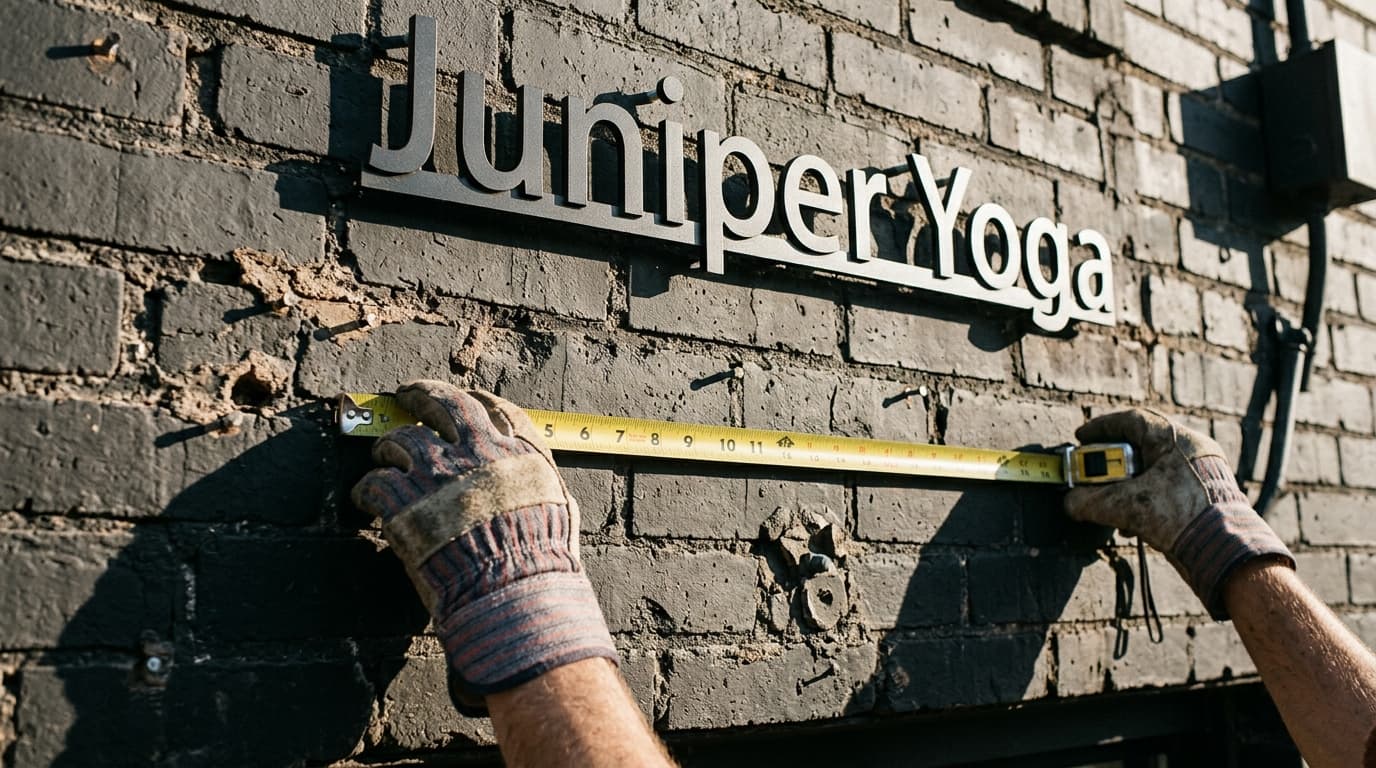
To understand how to measure a storefront for a sign, start by capturing the exact width, height, and depth of the fascia using a laser distance meter. For unreachable walls, scale ground-level photographs by placing a physical reference object flush against the exact wall plane.
Industry data shows roughly 60 percent of signage installation delays and rework stem from initial site survey and measurement errors. A single return trip to correct a missed dimension costs a sign shop two to three lost billable hours plus truck overhead.
Getting field dimensions right on the first visit eliminates this waste. Accurate initial measurements feed quoting, engineering, permitting, and fabrication without requiring expensive access equipment like bucket trucks or scissor lifts.
The Essential Site Survey Kit
A standard tape measure is not enough to capture a commercial facade accurately. A professional site survey kit requires hardware that allows technicians to record complex dimensions from the ground.
- Laser Distance Meters (LDMs): Standard units cost between $100 and $500. Professional outdoor models utilize digital pointfinder cameras and 360-degree tilt sensors to calculate heights indirectly via Pythagorean functions.
- Reference objects: A 4-foot level, 6-foot folding rule, or 10-foot measured stick serves as a known scale when photographing a wall for indirect measurement.
- Photogrammetry tools: Dedicated mobile hardware uses laser rangefinding paired with smartphone camera optics to measure distance and area directly from photo capture.
Using the right tools ensures you gather accurate data to fill out your signage site survey checklist completely on the first trip.
How to Measure a Storefront for a Sign Directly
When you can physically reach the sign band, direct measurement is the most reliable approach. Commercial parapets and fascias rarely run perfectly true.
- Take three vertical measurements: Check the height at the left, center, and right sides of the fascia. Always design the sign cabinet or letters to fit the smallest dimension.
- Measure architectural frontage: Record the full width of the leased space. This measurement feeds both the design scale and municipal permit formulas.
- Record depth clearances: Document reveals, parapet cap returns, and the distance between the fascia face and any architectural overhangs.
A variance of 1 to 2 inches over a 20- to 40-foot span is common in commercial construction. Documenting these out-of-square conditions allows the fabrication team to adjust mounting hardware and track systems accordingly.
Capturing Dimensions for Inaccessible Fascias
Second-story walls and tall parapets often prevent direct contact. You can capture these dimensions safely from the ground using indirect measurement techniques.
- Pythagorean measurement: Use a professional LDM with a tilt sensor. Shoot the laser at the base of the fascia, then shoot the top. The device calculates the height based on the angle and horizontal distance.
- Reference scaling: Place a physical reference target flush against the exact elevation plane of the wall. Photograph the wall straight on. You can then scale the photo using the known dimension of the reference object.
- Baseline checks: Use ground-level features like a standard 36-inch by 84-inch commercial exterior door to verify your photo scaling math.
When relying on photo scaling, the placement of the reference object is absolute. Never place your reference marker closer to the camera than the actual sign mounting plane. Doing so creates focal depth error and distorts the entire scale of the photograph.
Identifying Wall Substrates and Obstacles
Accurate measurements mean little if the wall cannot structurally support the sign. Site surveys must document the physical conditions surrounding the installation area without destructive testing.
- Locate structural backing: Look for visible fastener patterns, structural seams, or weep holes to identify internal wall framing and studs behind EIFS, ACM, or masonry.
- Map out obstacles: Measure the distance to gutters, wall sconces, security cameras, and awnings that will impact the sign footprint.
- Find the electrical disconnect: Identify the exact location of primary power supply points and conduit runs from the exterior.
Documenting structural conditions and obstacles upfront prevents late-stage engineering failures. Clean data feeds accurate sign estimating software workflows and stops costly redesigns after a permit is approved.
Translating Frontage to Allowable Sign Area
Gross architectural wall frontage dictates how large a sign you can legally install. You must translate your field measurements into the exact formulas required by the local zoning office.
- Check the zoning ratio: Municipal codes commonly limit attached wall signs to a ratio of 1.0 to 2.0 square feet of signage per 1 linear foot of leased building frontage.
- Calculate the bounding box: Many cities measure sign area by drawing an imaginary rectangle around the outermost limits of the channel letters, logos, or cabinet.
- Verify local ordinances: Exact limits and measurement rules vary widely by jurisdiction. You must check the specific code for every project.
Once you verify the measurements against the code, the quoting and sales process begins. Vuely is AI sales software for sign companies that uses field surveys to generate instant photo-accurate mockups on the customer's actual building. It includes a built-in sign code checker, estimates pricing, and collects on-site e-signatures before the rep leaves. Vuely is not shop management or production software, but it handles the entire front-end quoting workflow. You can view standard pricing models to see if it fits your operation.
Sign codes change and vary by zoning district and overlay. Confirm with the authority having jurisdiction before submitting a permit.
Frequently Asked Questions
How do I accurately measure a 20- to 30-foot high fascia from the ground?
Use a professional laser distance meter equipped with a 360-degree tilt sensor. Shoot the base of the fascia, then the top. The device uses Pythagorean math to calculate the height. Alternatively, place a physical reference object flush against the wall plane and use photo scaling.
How do you use a reference object in a site photo to scale a storefront?
Place an object of a known length, such as a 4-foot level or 6-foot folding rule, flush against the exact elevation plane where the sign will be mounted. Photograph the storefront straight on. You can then use the known object to scale the rest of the image in your design software.
How much buffer should be left between the sign cabinet and the fascia edges?
Fascias frequently vary by 1 to 2 inches over a 20- to 40-foot span. Always take vertical measurements at the left, center, and right sides of the fascia. Design the sign cabinet based on the smallest dimension to ensure it fits without pinching during installation.
What is the difference between architectural facade area and code-compliant sign area?
Architectural facade area is the total physical square footage of the storefront wall. Code-compliant sign area is the maximum amount of signage the municipality allows, often calculated at a ratio of 1.0 to 2.0 square feet of signage per linear foot of leased architectural frontage.
See Vuely on your own storefront
Site surveys, instant mockups, and ready-to-sign proposals in minutes.